Scenarios
Note
The configuration manager is the web based tool for system configuration. It's is by default found at https://<server>:8443/config/
Scenarios view
Scenarios help an administrator set up predefined scenarios.
Before any scenarios are configured this screen contains very little. As more and more scenarios are performed a list of scenarios will be displayed on this screen. Scenarios are categorized and are described in detail under their own heading.
To perform a Scenario click the plus, +, sign. Editing and deletions are done by selecting the scenario listed under a category.

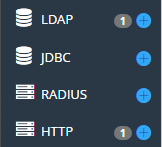
Connections
Create, edit and delete connections here. Both in and outbound.
Applications
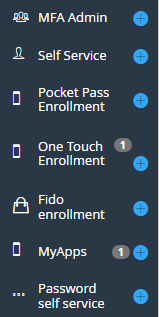
PhenixID comes with several administrative applications. Providing a quick, secure & easy deployment. MFA Admin & Self Service can be configured in many ways to fit each customers needs.
MFA Admin let's an administrator activate tokens, setup emergency tokens etc while Self Service allows for end users to handle administration themselves.
Depending on requirements configure one or both.
Authenticators
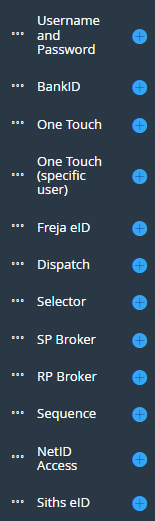
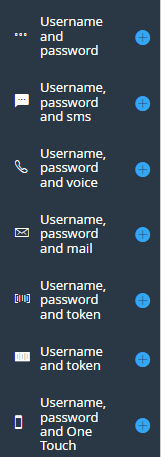
Here, you can create new authenticators. An authenticator can either be called from an SAML IDP, OIDC OP, as an internal authenticator, or from another authenticator (ex. a Dispatch, Selector or Sequence) for creating chains, solving complex problems in an easy, efficient and secure way. The same authenticator can be used by ex. multiple IDPs and/or OIDC OPs.
Federation
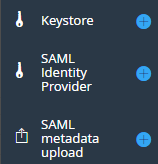
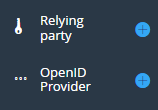
Acting as a SAML IDP (Identity Provider), the federation scenarios gets the system configured within minutes. When creating an IDP, you tie it to an already configured authenticator.
OIDC
Acting as an OIDC OP (OpenID Provider), the OIDC scenarios gets the system configured within minutes. When creating an OP, you tie it to an already configured authenticator.
RADIUS
RADIUS scenarios lets an admin configure PhenixID server to act as an RADIUS server. Commonly used for protecting VPN.
API
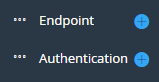
Here, you can configure API endpoints for integrating PAS with other systems.
System
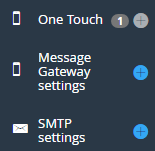
Global system settings are configured here. Message Gateway settings (SMS), SMTP and PhenixID One Touch settings that are used by other parts of the system.
Legacy Guides
Scenarios (Federation and OIDC) that were created before PAS 5.1 are using the old authenticator architecture. They are still supported, but are discouraged. They can be accessed from this tab.
